Communicare: Bridging the Gap Between Patients and Providers
Role: Web Designer
Team: Founder, Technical Lead, 2 Programmers
Timeline: July 20 – Aug 16, 2024
Tools: Figma, FigJam, Slack, Gmail, Google Drive
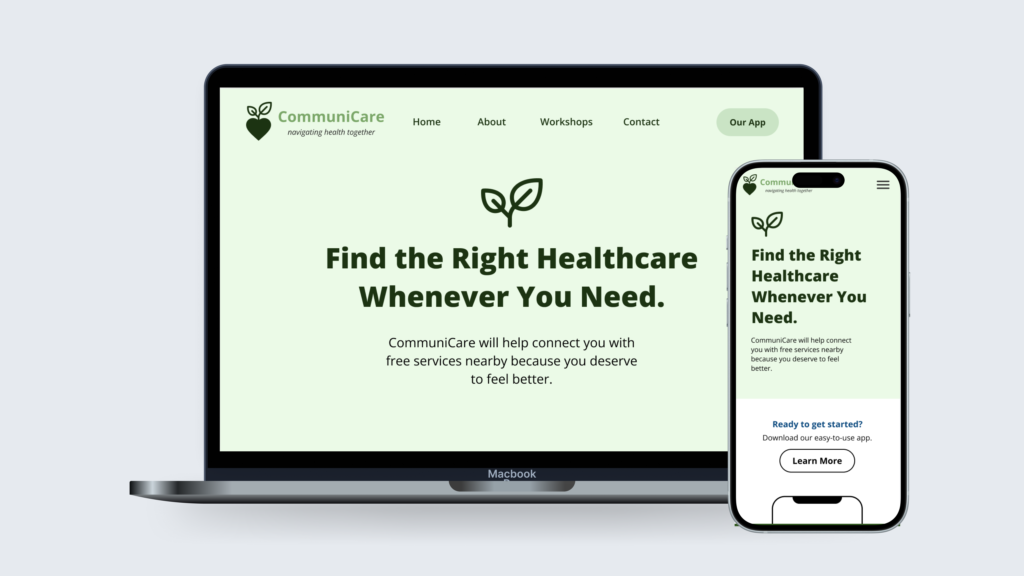
The startup CommuniCare needed a new website, so I took on the role of lead designer. Over the course of a month, I conducted research, sketched wireframes, and used Figma to create and prototype the design. Collaborating with the founder and technical team, I developed a functional website to help low-income individuals easily find free healthcare resources.

What is CommuniCare?
Nonprofit startup aimed at connecting low-income and historically under-resourced communities with healthcare resources in their vicinity.
01 THE CHALLENGE
What Am I Trying to Solve?
Shortly after being recruited, I had a call with the founder of CommuniCare to understand the startup and website goals. I took notes on the audience and main problem to address, which guided me in formulating the website’s solution and objectives.
How can we help those who are low-income and uninsured find resources for their medical health?
02 RESEARCH
Who are the Users?
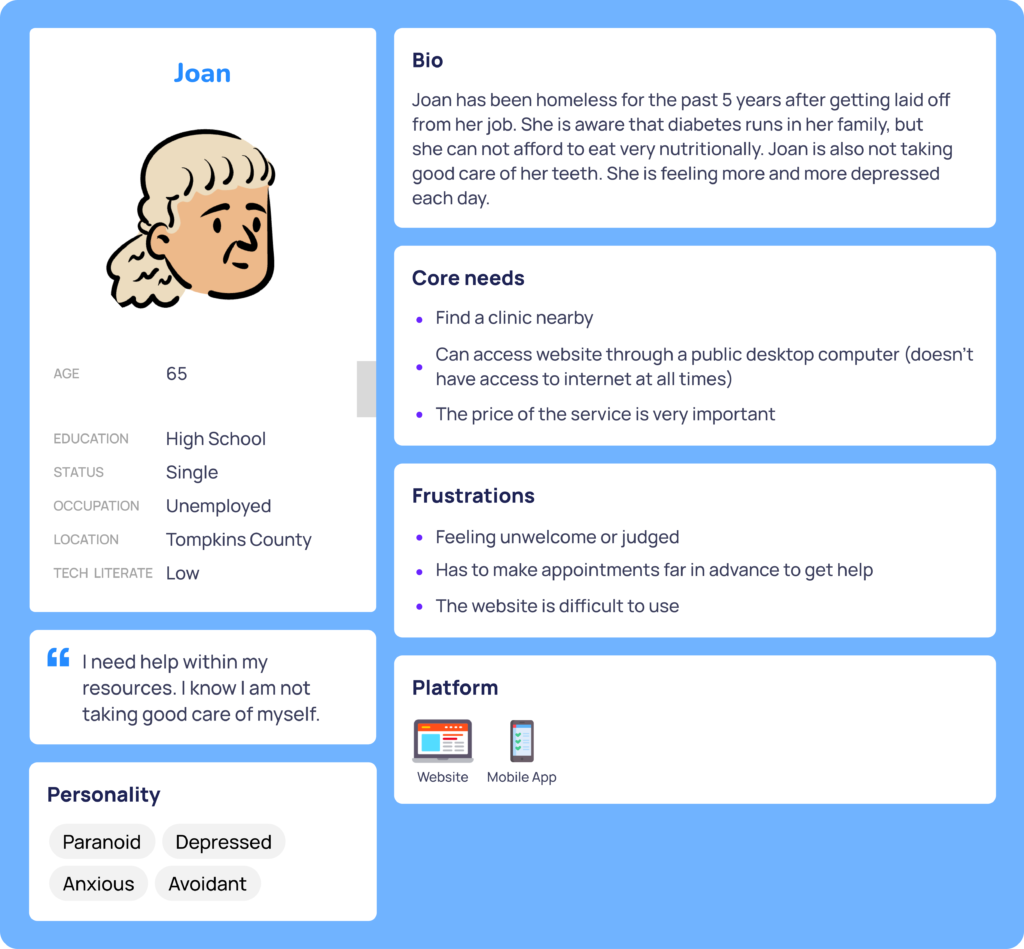
I created a user persona to better understand the website’s potential users. By reviewing patient stories and demographics from Neighborcare Health and the National Foundation of Free and Charitable Clinics (NAFC), I gathered insights on the people seeking help.
Competitive Research
As a new company, I had to design the website from scratch, which required more time and effort than a redesign. Despite time constraints, conducting market and user research was crucial.
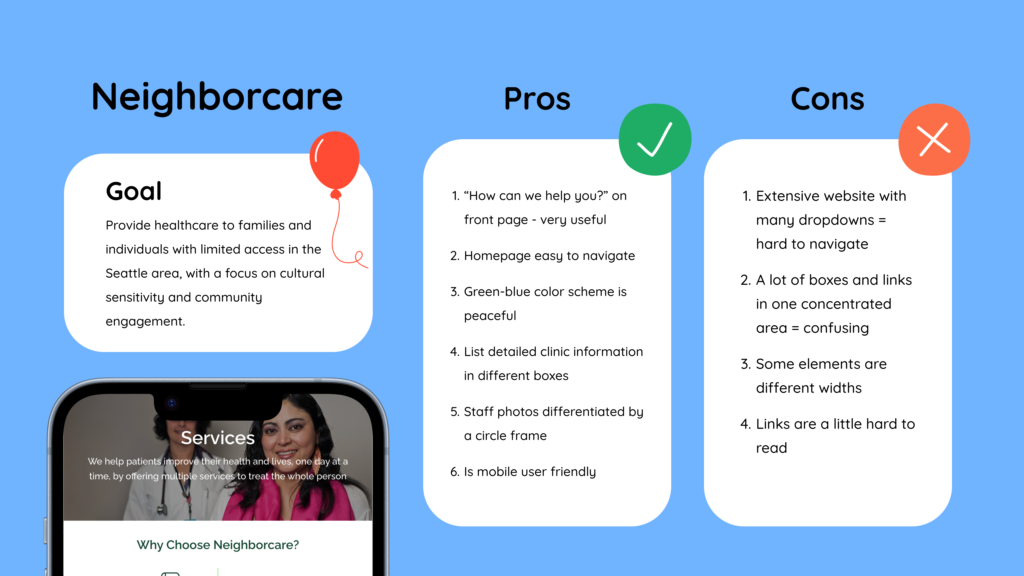
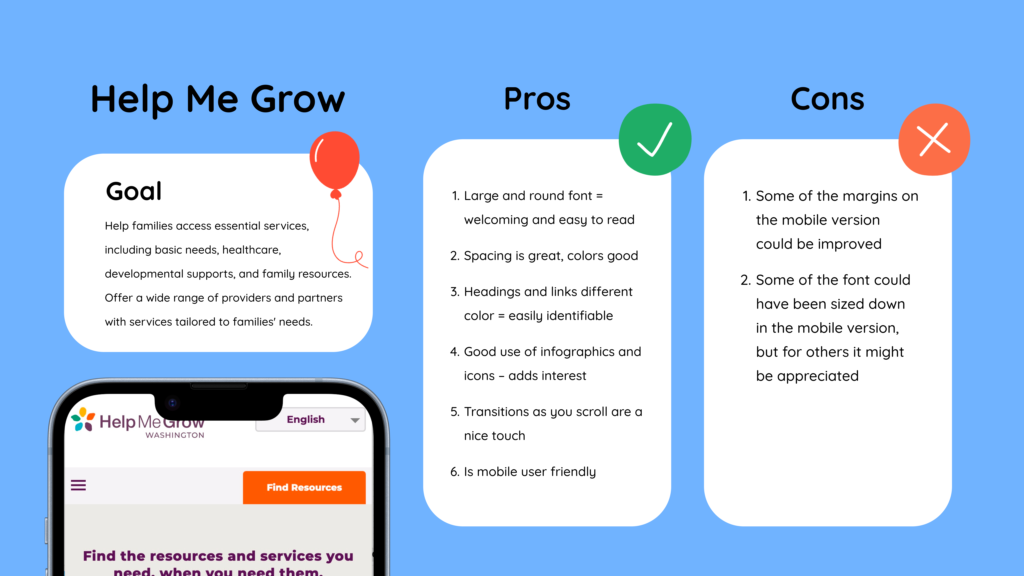
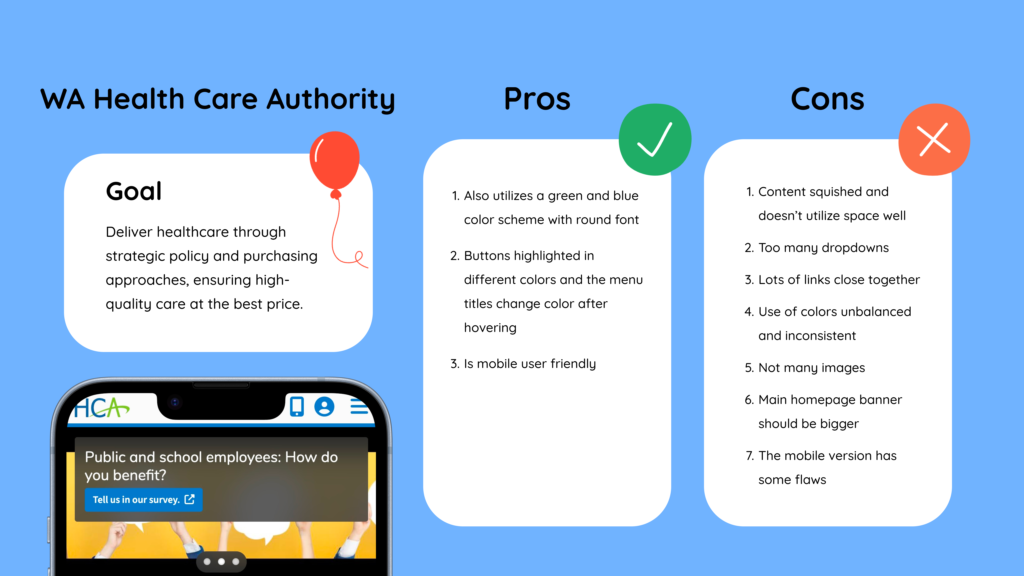
To start the process, I reviewed similar websites for inspiration, taking notes on the pros and cons of each. This would later help me determine what elements to include or avoid in my own design.
02 DESIGNING
Putting Pen to Paper
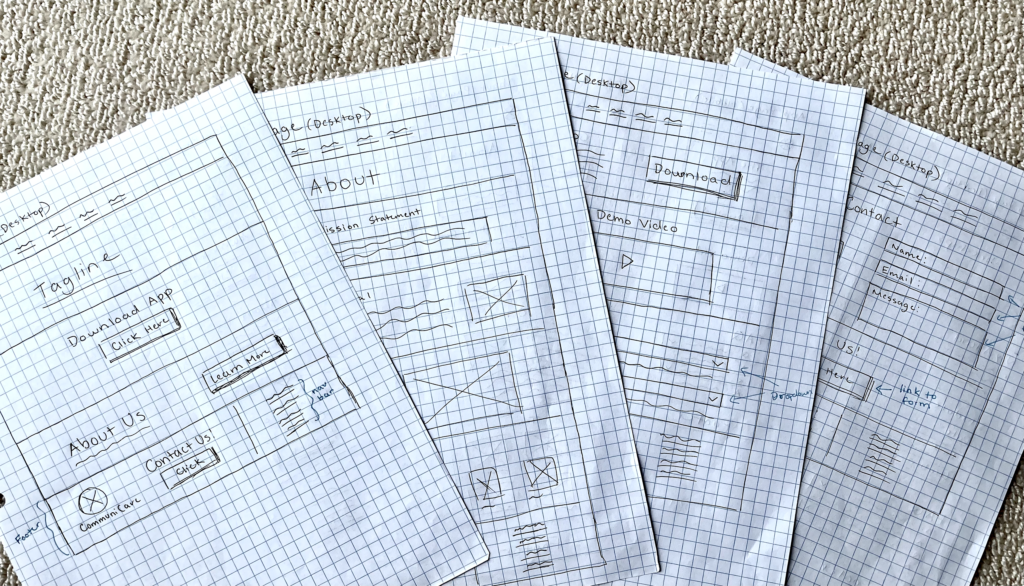
With the content organized, I decided to sketch out some layout options to get an idea of how I wanted each page to look.
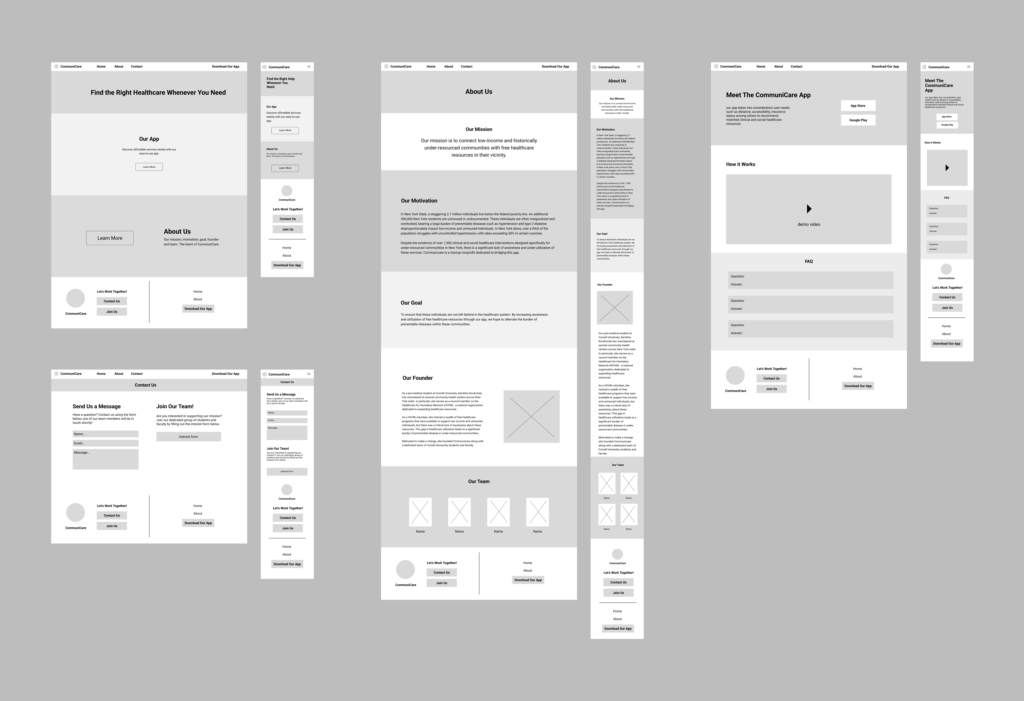
Transforming Into Wireframes
03 REVISING
Feedback from Users
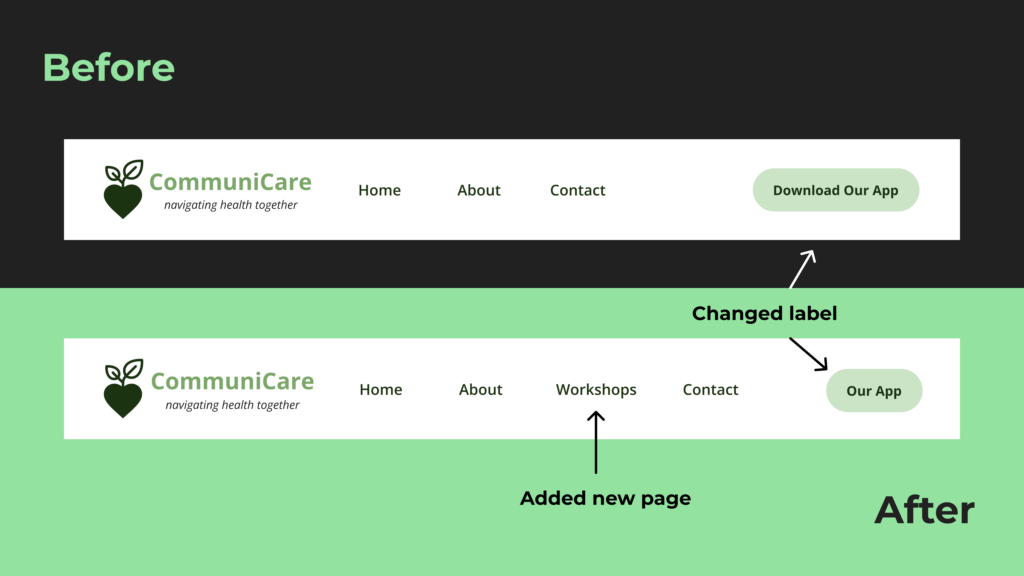
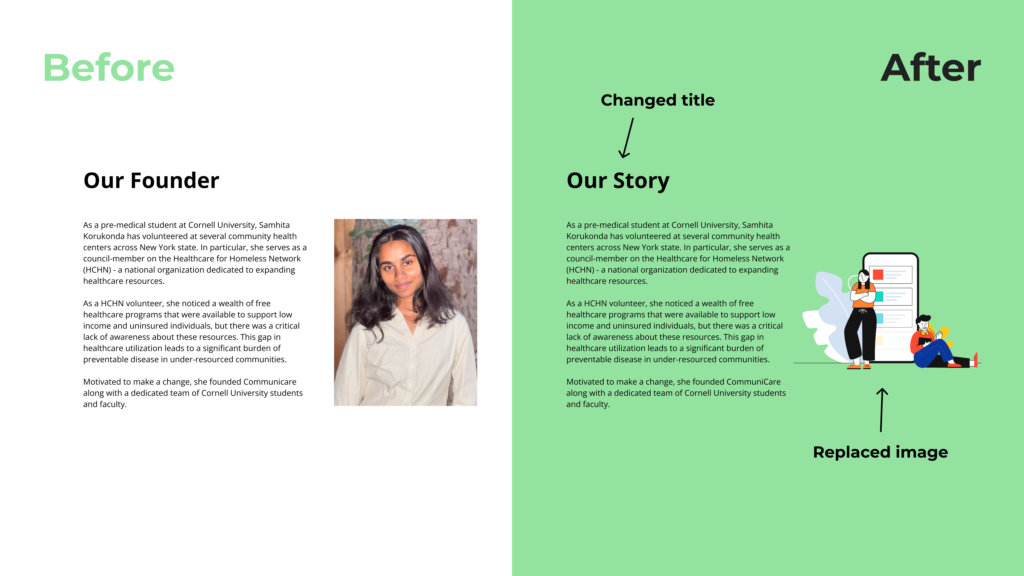
After waiting a few weeks for the programmers to code the website, I was informed that it was entering beta testing for user feedback. A week later, I met with the founder and technical lead to review the beta test results and discuss the necessary changes.
| Positive Feedback | Negative Feedback |
| Super easy to use and intuitive | The only way to learn more about the app is scrolling down. There should be something on the nav bar. |
| Website was simple and looked great | There are a couple glitches with the scrolling and the logo being cutoff on the homepage as you scroll down. |
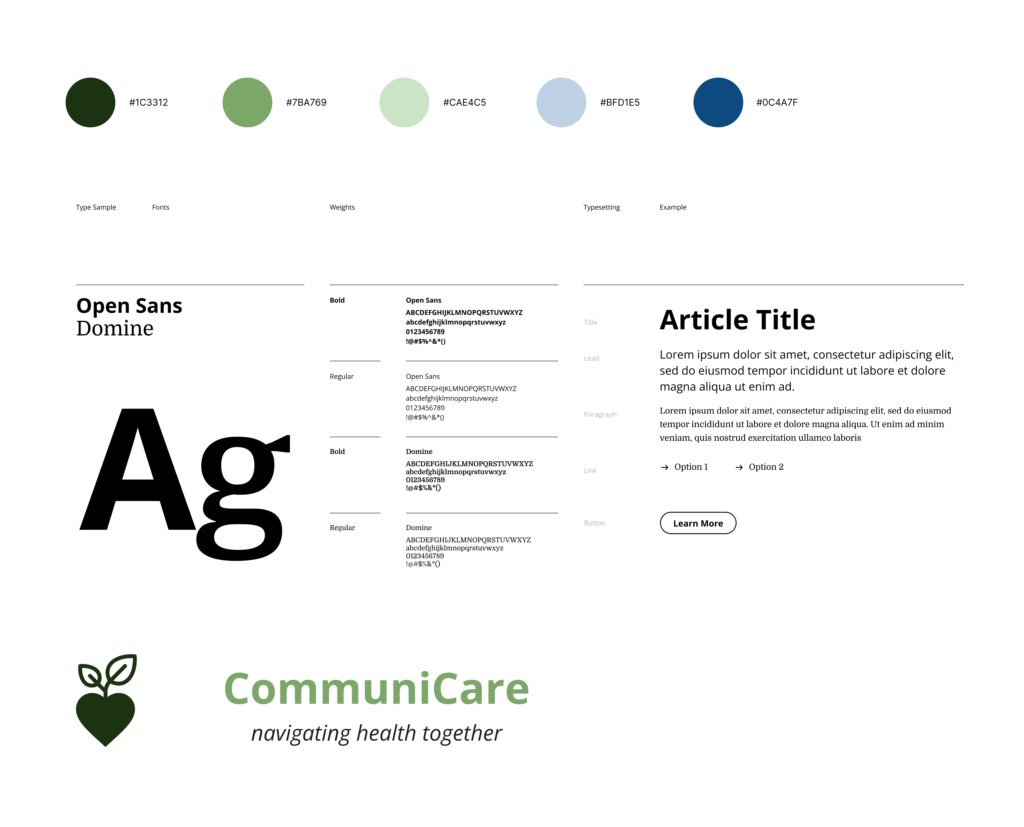
With this information, I made a new iteration of the design to include the feedback.
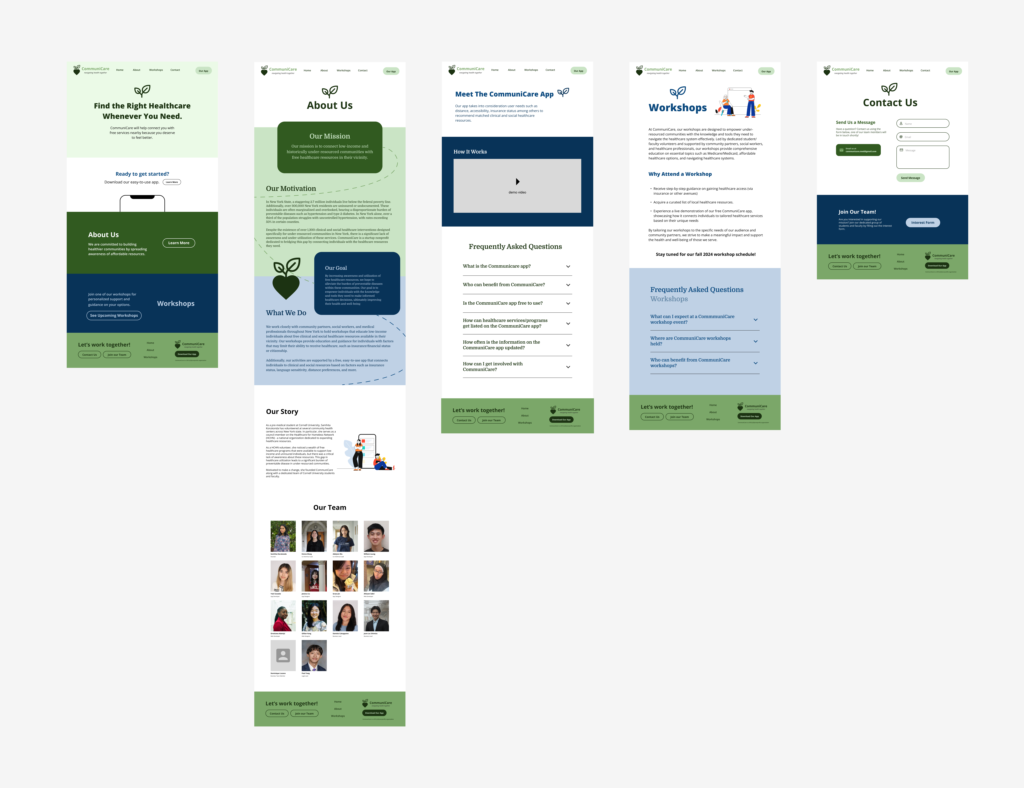
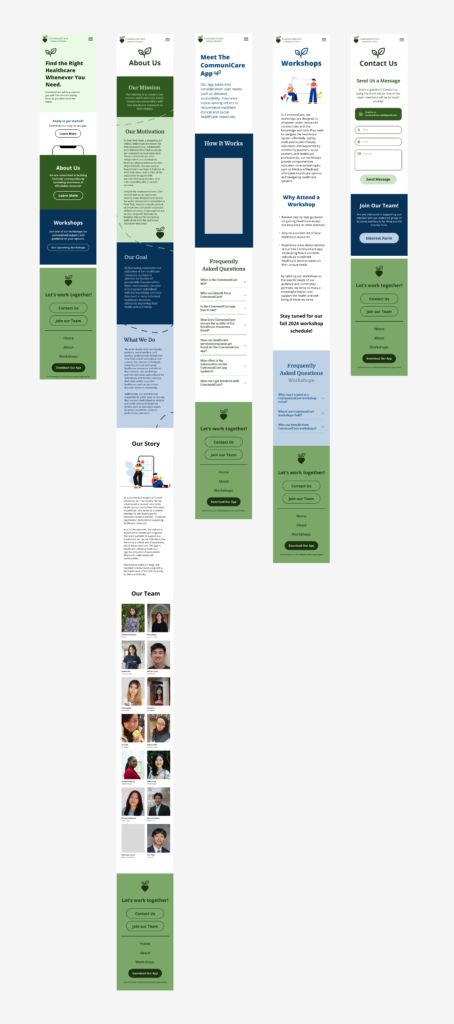
The Final Design
Click here to play with the prototype!
The website is now live: https://communicareconnect.org/index.html (work in progress)
What I Learned
- Communication with your team is essential! It’s crucial to inform your team when changes are made so they can assess the time required and determine if they can meet the deadline.
- Creating prototypes in Figma is more time consuming than you think
- Sometimes you need to prompt others when they aren’t providing what you need. Don’t be afraid to ask!