Libby Recommendations: Personalizing Book Discovey

libby cover

Role: UI/UX Designer, Researcher

Team: Individual

Timeline: Sep 30 – Dec 9, 2024

Tools: Figma

It was a rainy Sunday afternoon, the perfect setting to curl up with a book. I opened Libby, eager to find a new captivating read. Unfortunately, the more I browsed, the less inspired I felt. The recommendations didn’t reflect my interests, and I found myself lost in a sea of unrelated options. Where were the books that excited me? That moment of despair made me realize how much the browsing experience could be improved.

What is Libby?

Libby is a free app for borrowing eBooks, audiobooks, and magazines from local library catalogs. It combines multiple library accounts into one interface, selects the shortest hold times, and allows offline reading, making it a convenient tool.

01 RESEARCH

Is it Just Me?

Even though I felt frustrated, I wasn’t entirely sure if my experience was unique or if others felt the same way. To gain clarity, I decided to gather more voices to understand the root cause of what made browsing on Libby feel so unsatisfying for me.

To confirm whether this was a shared experience, I interviewed 3 Libby users

Key Insights

  • The filtering system lacks personalization
  • Users prioritize certain genres and formats but find narrowing options difficult
  • Book browsing doesn’t take long, but users often settle for less-than-ideal matches

Looking to Competitors

company od logo 2020

Strengths: Easier book comparisons through better information visibility.

Weaknesses: Similar filtering issues as Libby, uninspiring visuals and limited features.

goodreads logo (2007–2025).svg

Strengths: Personalized recommendations based on user preferences and a large database of reviews.

Weaknesses: Cluttered UI, limited upfront book details, and minimal genre categorization.

02 THE PROBLEM

Why Are Users Struggling?

Interviews revealed that users struggled to find books that aligned with their interests. Therefore, I came up with this problem statement:

When browsing for books, I want to be able to compare and discover options that align with my tastes, helping me to make an informed choice and uncover new reads that genuinely interest me.


03 BRAINSTORM

How Do I Solve this Problem?

With my problem solidified, I recruited two fellow bookworms to brainstorm potential solutions.

300 sticky notes later…

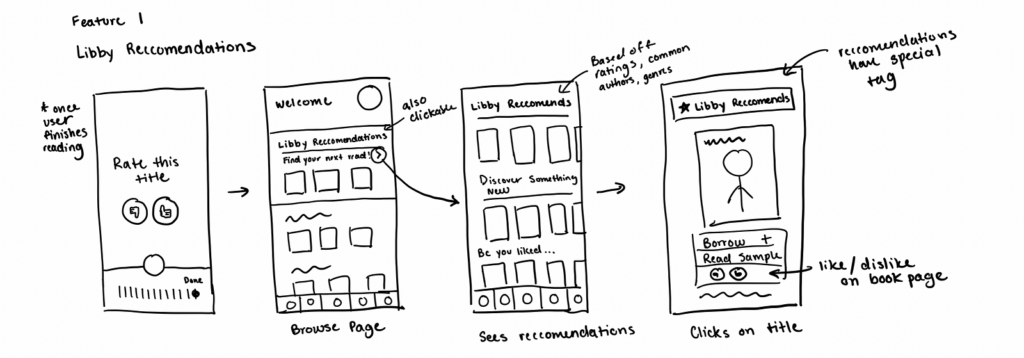
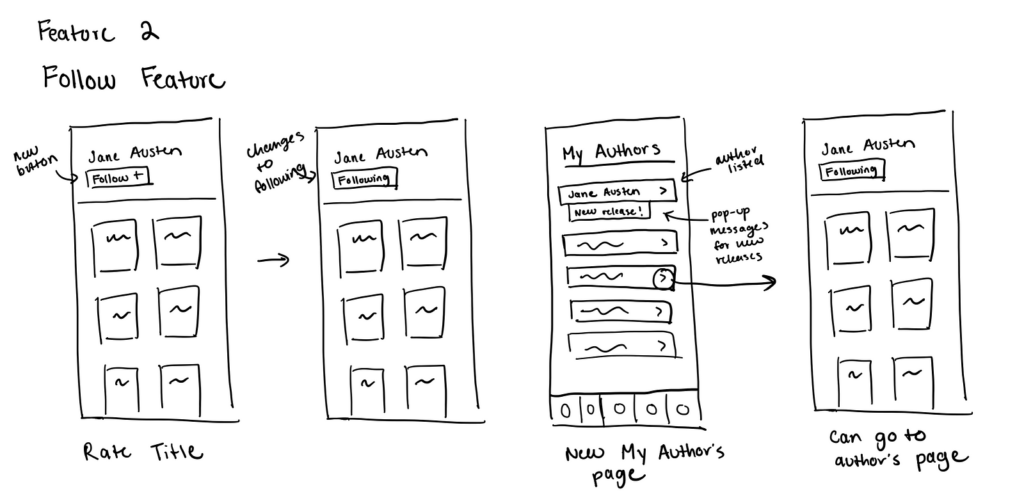
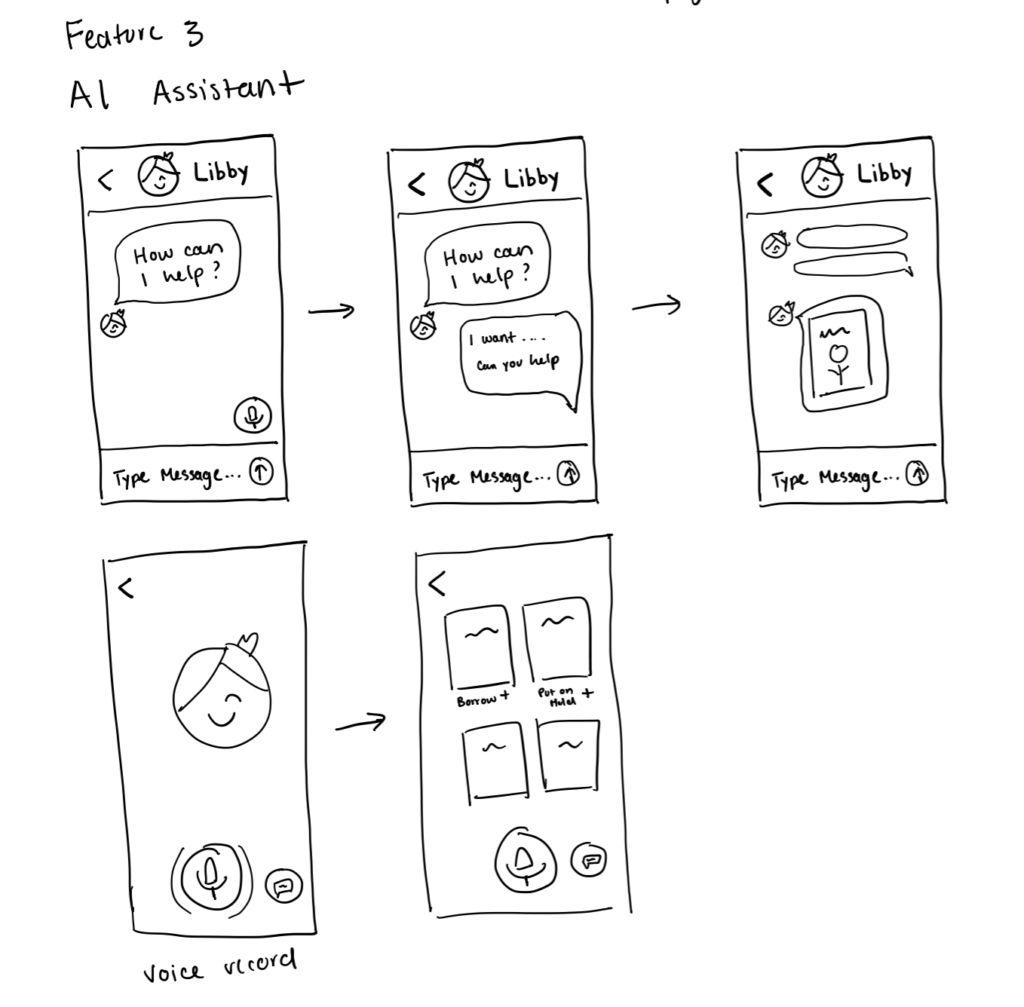
we had a plethora of ideas, from gamification to AI-powered assistants to community-driven forums. After analyzing the options, I narrowed them down to three standout concepts:

libby f1 lofi
libby f2 lofi
libby f3 lofi

After deliberating and sketching out the options, I chose to move forward with Libby Recommendations.

04 INFORMATION ARCHITECTURE

Mapping Out the Architecture

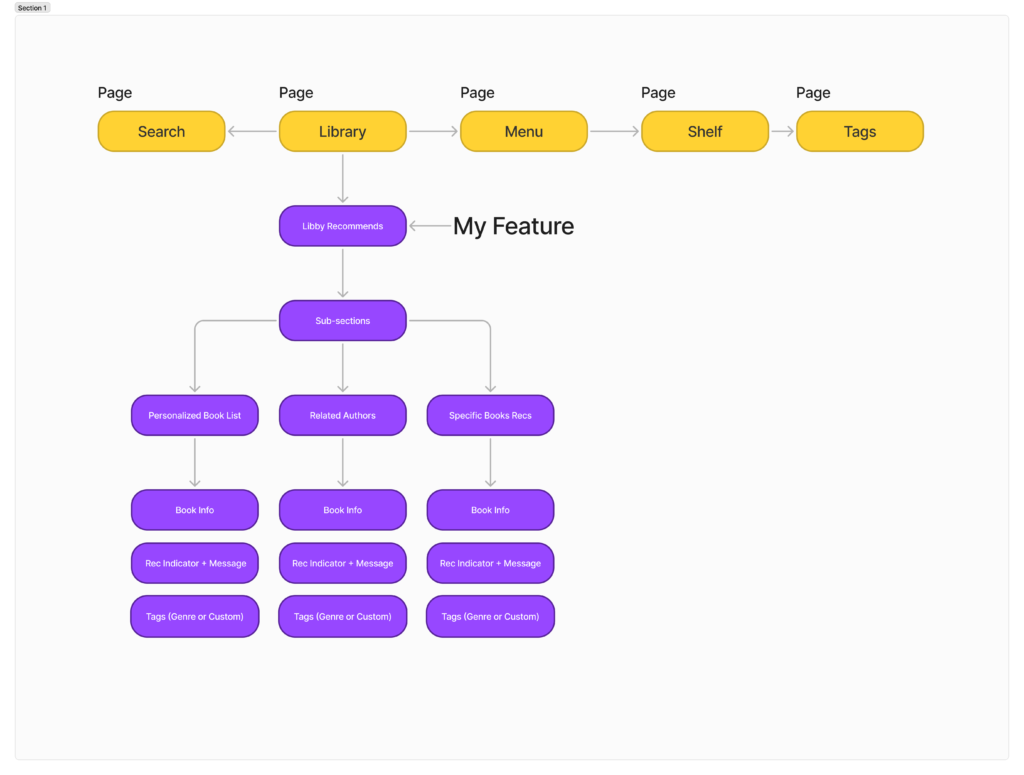
To integrate my feature seamlessly into the app, I considered its placement within Libby’s structure. I decided to house it within the Library page, where users typically browse for new books.

info hierarchy
05 THE DESIGN

Designing the Feature

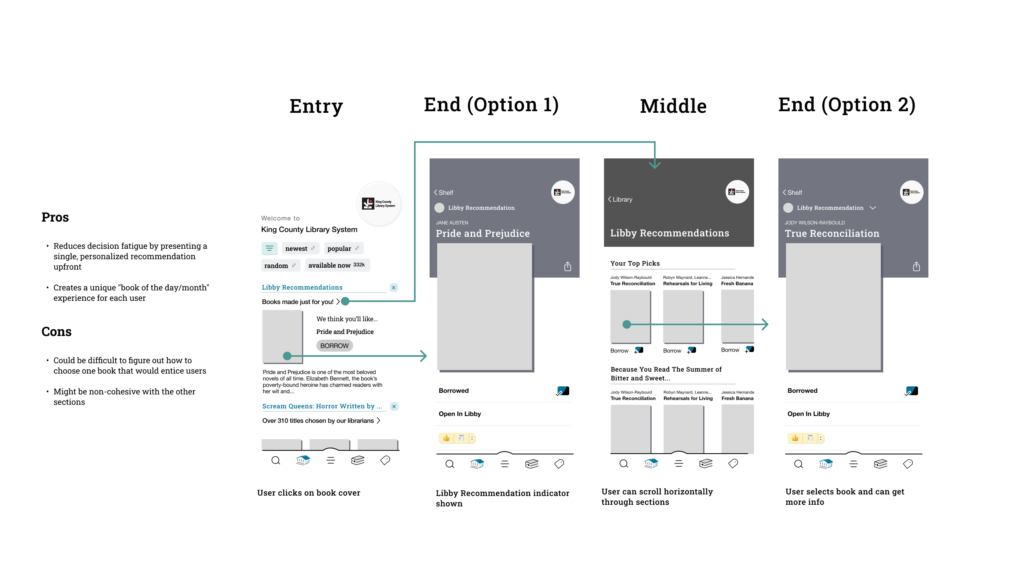
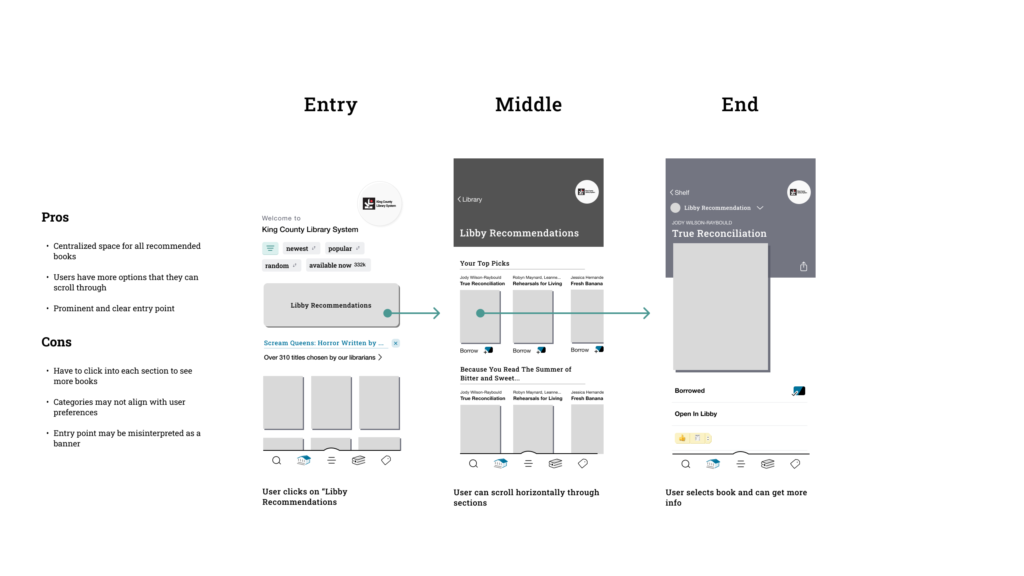
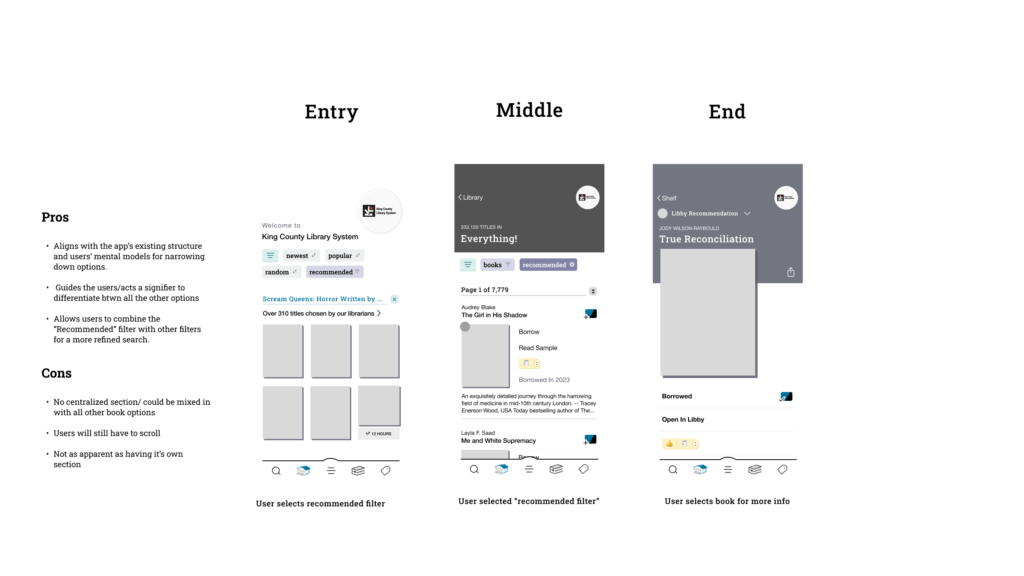
 I started by creating multiple mid-fidelity user flows to visualize potential interactions and ensure the experience was intuitive. These flows laid the groundwork for high-fidelity designs and prototypes, which I used to test various options and gather user feedback for further refinement.

mid fi flow 1
mid fi flow 2
mid fi flow 3


Testing the Options

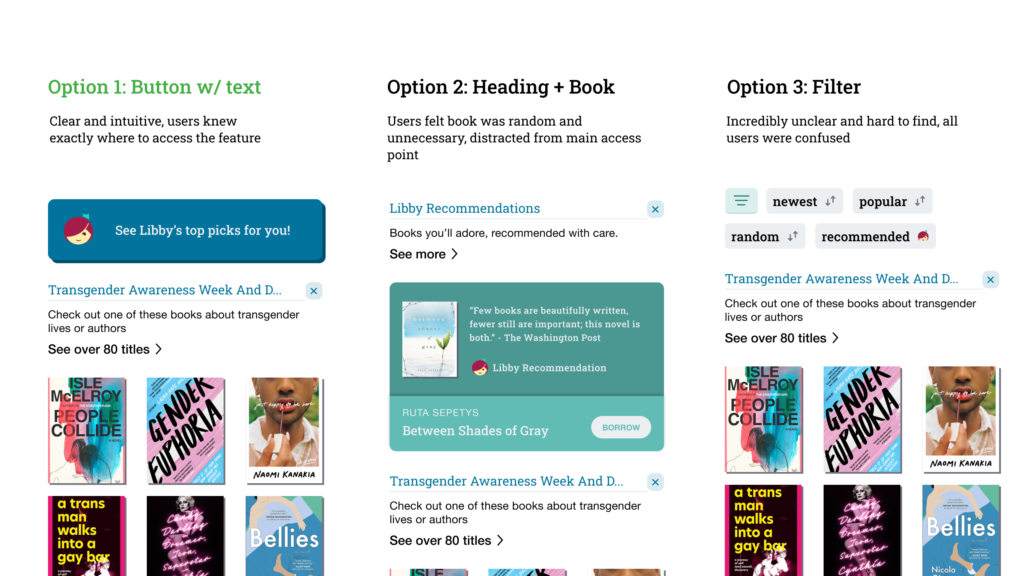
Through user testing, I explored multiple entry point options. Option 1 ensured that the feature was immediately noticeable and accessible, aligning with users’ natural browsing habits on the app.

entry point options


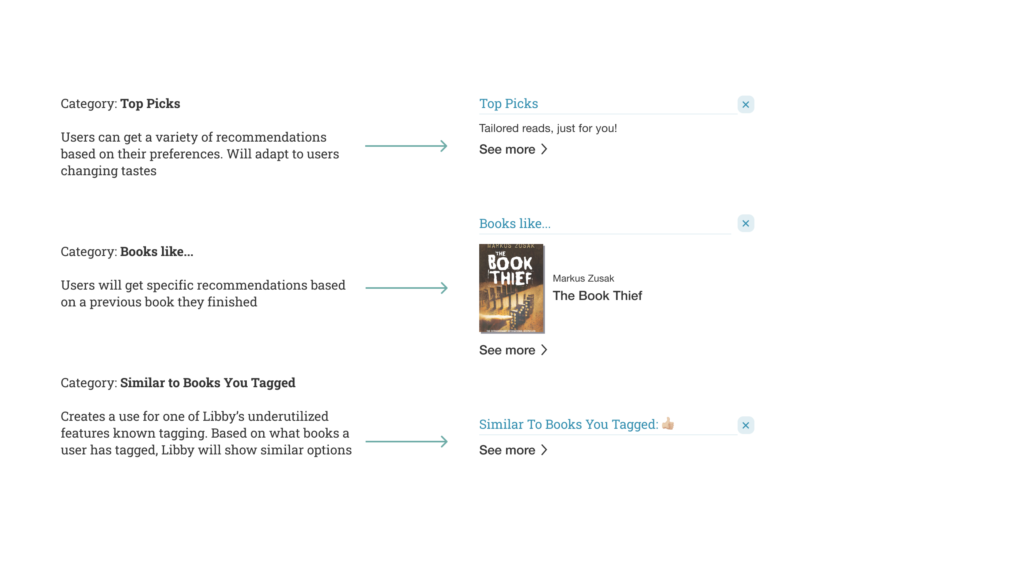
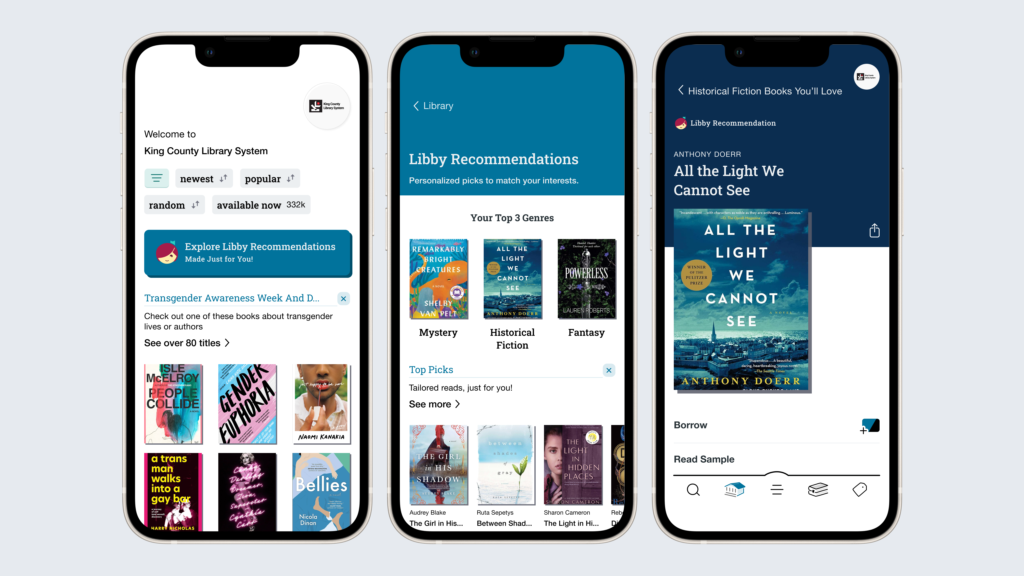
Next, I focused on the structure of the recommendations page. During testing, users expressed a preference for categories they could scroll through horizontally, as it made the experience feel more organized and guided. This feedback shaped my initial approach to include clearly defined categories.

I started out with three basic categories, but user feedback provided valuable insights that changed this initial structure.

category options
06 REVISIONS

Revising the Feature

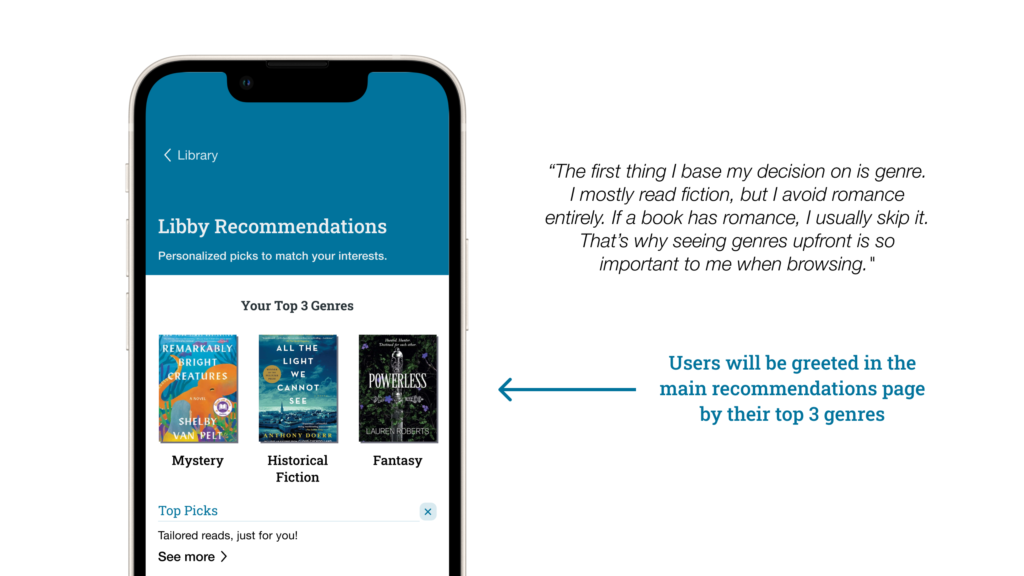
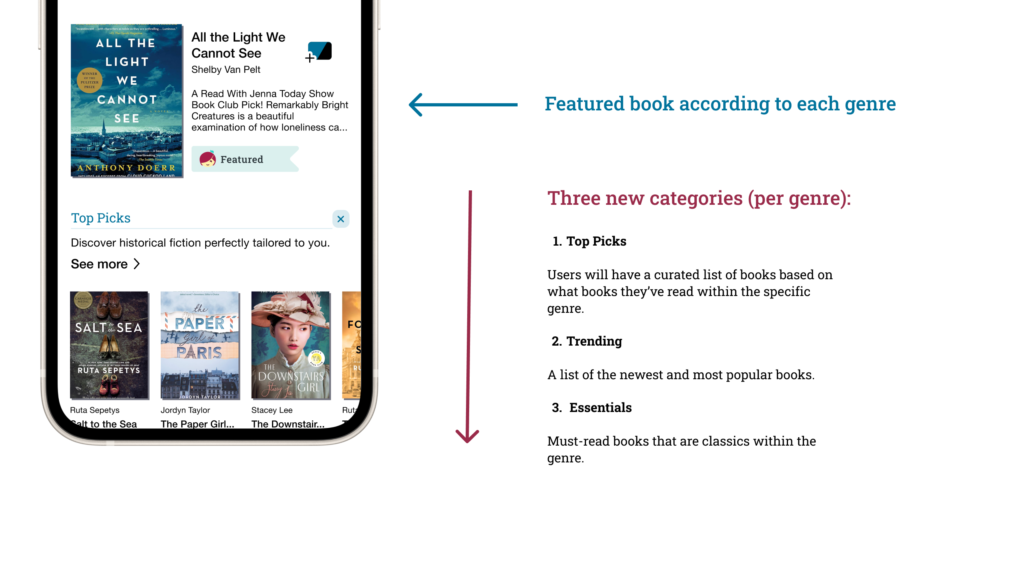
Users emphasized the importance of genres and other readers’ opinions when choosing books — elements that my initial designs didn’t fully account for. With this in mind, I revised my designs to create a final flow by adding:

New pages for top 3 genres 

top genres feature


New categories for each top genre and featured books

genre page explanation

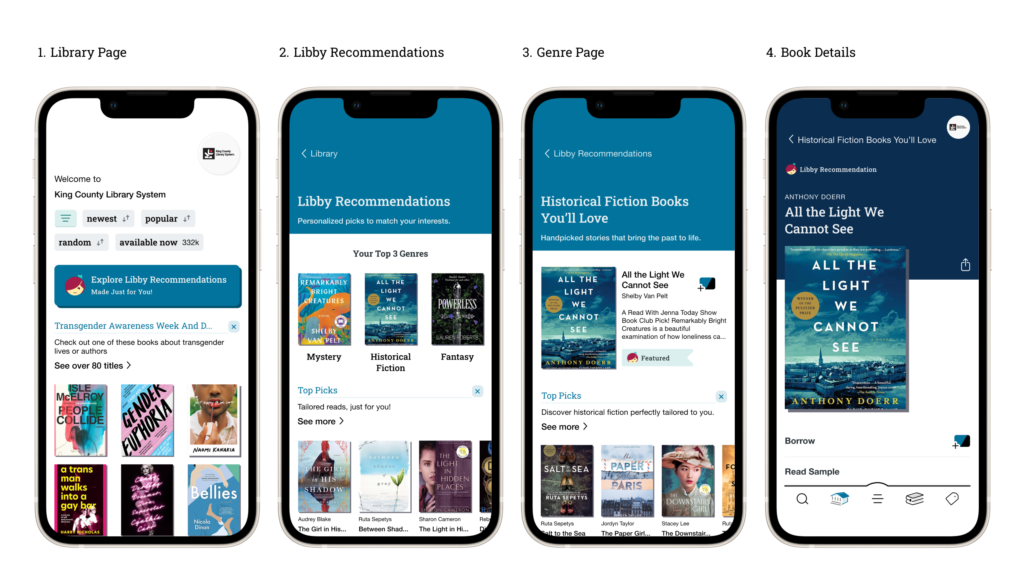
The Final Flow

final flow

The End?

I’ve loved using Libby for many years, and while it’s served me well, it’s not without its flaws. This course concludes with a refined feature flow, but it’s just the beginning of rethinking how users discover books on Libby. I believe Libby Recommendations has the potential to transform book discovery into a more personalized and enjoyable experience.

What I Learned

  • Flexibility is Key: Don’t get too attached to one flow — there’s always room for a better solution.
  • Stay Focused: There are many things that could be improved or added, but it’s important to focus on the root problem you’re trying to solve.
  • Celebrate Progress: It’s important to appreciate your accomplishments and growth.

This is a case study for a project in Intro to Digital Product Design. I am in no way affiliated with Libby.